A robot battery and its controller can both list RS485 and still fail to exchange useful information. Before approving a sample, check the wiring, protocol, meaning of the data and the robot’s response when data is missing.
Start with the battery supplier's communication specification and the controller team's requirements. Compare them before sample testing, agree what a successful integration must demonstrate, and keep the results with the approved battery configuration.
Start With the Protocol for the Actual Sample
RS485 specifies the electrical characteristics of drivers and receivers. It does not define a battery's messages, data fields or control commands. Texas Instruments' RS-485 Basics Series explains this distinction between the electrical interface and higher-level protocols.
Ask for the protocol document that matches the sample's BMS and firmware version. A document from another battery in the same supplier's range may describe different messages or functions. Confirm whether the battery uses Modbus RTU or another protocol, and obtain the corresponding register map or message definitions where applicable.
The controller team should list the information the robot needs. The supplier can then confirm which fields the proposed BMS provides and which functions still need development.
Create an Interface Review Sheet
Keep the battery and controller requirements in one review sheet. Name the person responsible for resolving each open question.
| Review item | Information to obtain | What both teams should confirm |
|---|---|---|
| Connector and wiring | Connector drawing, pin definitions, two-wire or four-wire interface, and installation requirements | Signal connections, reference, shielding and routing suit the proposed installation |
| Serial configuration | Baud rate, data bits, parity and stop bits | Both devices use compatible settings |
| Message exchange | Addressing where used, requests, responses and checksum rules | The controller can send and interpret the required messages |
| Timing | Polling or reporting behavior, update intervals and response limits | Requests, timeouts and retries fit the documented protocol |
| Version identity | Battery model, BMS hardware, firmware and protocol revision | Documents and controller implementation match the supplied sample |
Wiring deserves its own review. Network topology, cable selection, termination, grounding and isolation must suit the actual design. The TI RS-485 Design Guide provides the electrical background; the battery and controller documentation should define the project connection. A generic wiring sketch cannot resolve an undocumented connector or interface requirement.
Check What Each Data Field Means
A readable number on the robot’s display does not prove that it was decoded correctly. For each required field, record the data type, byte order and any word order, unit, scaling, sign convention, update behavior and invalid values. Check the meaning of individual alarm bits too.
Illustrative decoding example: if a protocol defines pack voltage as an unsigned integer in units of 0.1V, a raw value of 256 means 25.6V. This is an example of scaling, not the register map of the Hysincere model below. Use the actual protocol to confirm the address, encoding and valid range.
Pack voltage, current, state of charge, temperature and alarm information are useful candidates for the review. Their availability depends on the BMS and protocol. Confirm the supported fields instead of assuming that an RS485 interface provides all of them.
For current, agree how charging and discharging are represented. For temperature, identify which sensor or reported value the controller receives. For state of charge, confirm how the controller recognizes unavailable or outdated information before using it to make charging decisions.
Keep communication validity separate from battery measurements. A missed response does not establish that the battery is empty or that protection has activated. Likewise, a previously received value needs an age or validity check before the robot treats it as current information.
Agree on Behavior When Communication Changes
Define the controller's response to stale or missing data before running acceptance tests. Record the timeout, retry policy, operator indication and permitted operating response, together with the conditions for recovery. These decisions should follow the robot's operating requirements and risk assessment.
The battery side also needs to be understood. Ask what happens to communication during startup, charging, sleep or a protection event where those states apply. Remote wake-up, charge control and fault-reset commands should appear in the plan only when the specific battery supports them.
Changing a communication state is different from deliberately stressing a battery. Use approved simulation or test controls for abnormal-state checks where suitable. Any validation involving electrical or thermal protection belongs in a separate engineering test plan.
Validate Communication in Representative Robot Conditions
Agree the pass criteria before the sample arrives. Add the project’s limits, software versions, test conditions, results and reviewers to the matrix below.
| Scenario | Evidence to retain | Acceptance question |
|---|---|---|
| Startup and connection | Controller log, protocol version and first valid responses | Does the controller establish valid communication within the agreed conditions? |
| Normal operation | Timestamped messages and decoded values across the intended duty cycle | Are required values interpreted correctly and updated at the agreed rate? |
| Charging | Charger identity, communication log and supported status fields | Does the controller interpret the available charging information correctly? |
| Missing or stale data | Approved test method, timeout record and controller response | Does the robot follow the agreed response without treating old data as fresh? |
| Recovery or supported wake-up | Event sequence, restored data and controller state | Does normal operation resume only after the agreed validity checks? |
Retain failed runs as well as successful ones. If a firmware update resolves an issue, record the changed version and repeat the affected checks. A screenshot showing one successful response will not explain whether the behavior remains correct across startup, operation and recovery.
Use Product Specifications to Select a Candidate
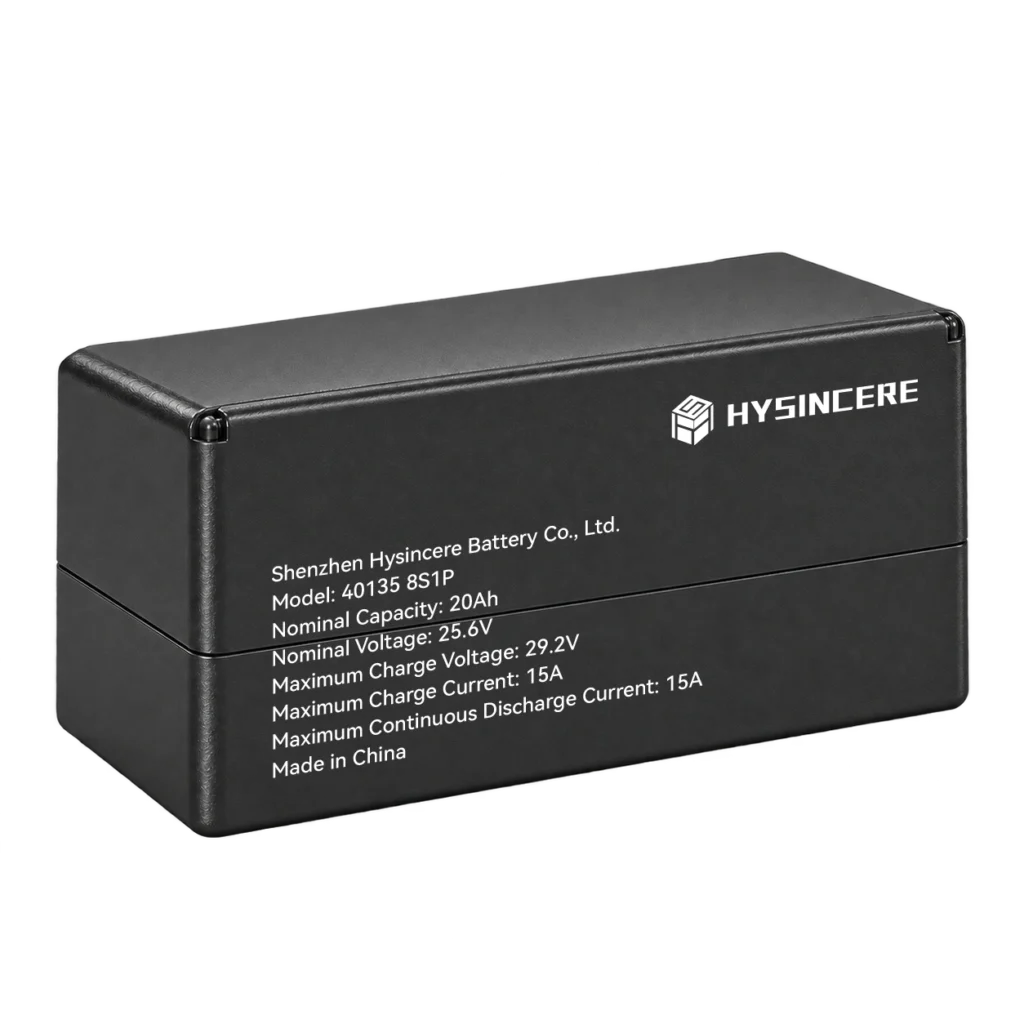
Hysincere’s 40135 8S1P 20Ah 25.6V Robot Lithium Battery Pack is listed at 25.6V, 20Ah and 512Wh, with RS485 communication. These specifications help you select a candidate. Request the matching interface and protocol documents to assess communication compatibility.
Electrical limits, charging requirements, available space and the operating duty cycle still need review. The guide to LiFePO4 batteries for mobile and service robots covers the broader capacity, power and charging decisions.
Record the approved configuration
The integration record should identify the battery sample, controller software, BMS firmware, protocol revision, test results and unresolved items. State which project stage has been approved and what remains to be checked. Later changes to relevant hardware, firmware or wiring should trigger a review of the affected tests.
For the wider release decision, use the custom battery pack sample approval checklist to record electrical, mechanical and communication results together.
Discuss an RS485 Battery Project
Send your controller requirements, required data fields, voltage and current, charger details, available space and sample quantity.